AnnouncementMTX: Tickets
Schedule Send Email
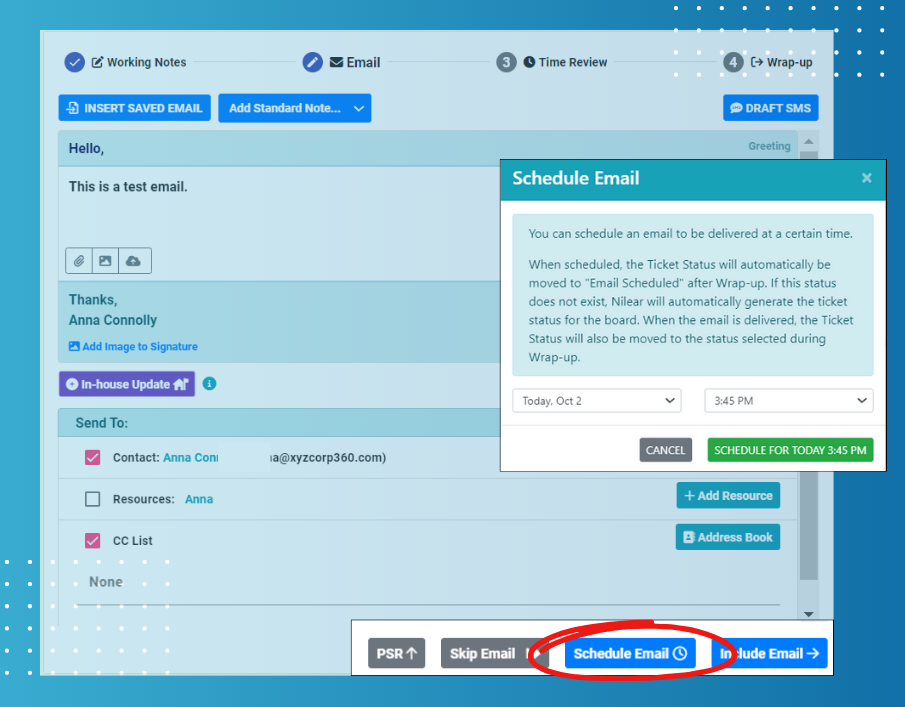
When drafting an email in MTX, you can now schedule when you wish to have your response delivered.
Any scheduled email will be recorded against the ticket as an internal note, allowing you to edit or delete the scheduled email.
If you are using schedule send email as part of MTX's "Working on Ticket", after the wrap-up phase, MTX will automatically set the ticket status to "Email Scheduled". Once the scheduled email is delivered, MTX will automatically set the ticket status to the one originally selected during wrap-up.
Over the next couple of weeks, we will be rolling out more of the new features available in MTX 4.4!