FeatureMTX: General
Expire Custom Alert/Flagged Notes
MTX will can now parse company and contact custom alerts and flagged company notes containing the text "[Expires YYYY-MM-DD]". If an expires text is encountered and the expires date has passed, MTX will no longer display the alert or flagged company note.
For example, "Client is migrating to M365 this month [Expires 2024-10-31]" as a company custom alert message will display in MTX until November 2024.
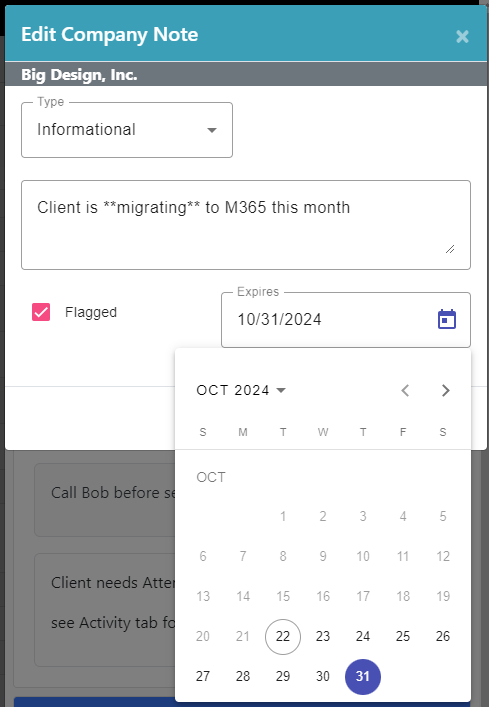
When editing a flagged company note in MTX, an Expires date picker is provided for convenience.