Remove Duplicate Tasks After Bundling Tickets
When a customer's replies arrive as separate tickets, each one can get its own tasks for the same work. Once those tickets are bundled, the parent ticket lists every copy.
Now, right after you bundle tickets from a ticket's Bundle dialog or from the Bundle batch action, Nilear AI compares the tasks of the parent and all its child tickets. When it finds open tasks that repeat one another, MTX shows each group: the task it keeps, and the copies it suggests removing, each with its ticket number.
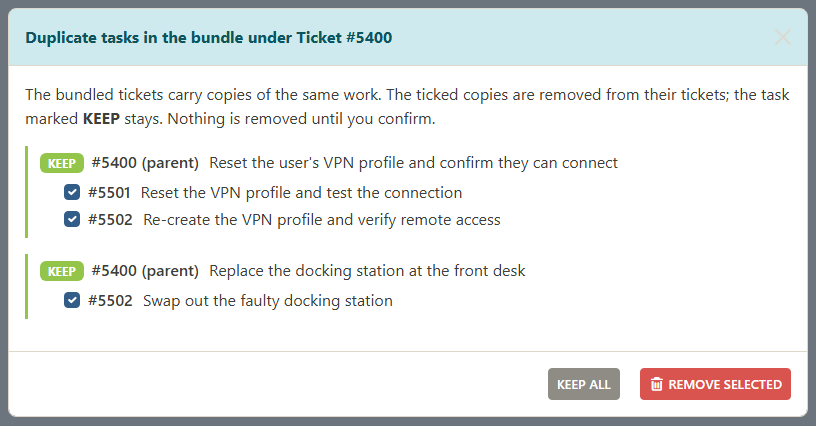
Untick any copy you want to keep, then click REMOVE SELECTED. Each copy is deleted from its own ticket in ConnectWise, with your own ConnectWise access, and MTX tells you how many were removed. KEEP ALL removes nothing. Completed tasks are never offered for removal.
Bundling works exactly as before. If nothing repeats, or Nilear AI is not available, no dialog appears.