FeatureMTX: Tickets
Add Email Recipients as Contacts
The From, To and Cc line at the top of an email note now checks each address against the contacts of the ticket's company.
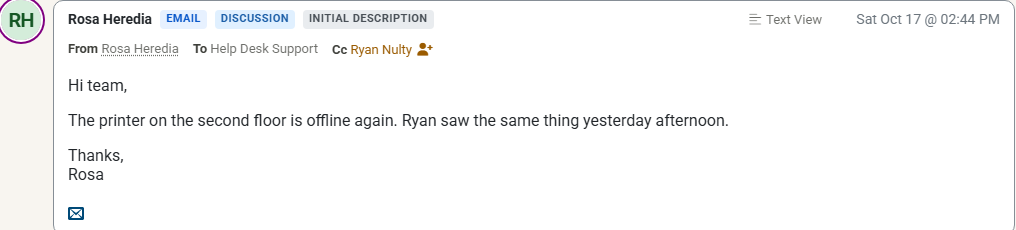
- Contacts show their card. A recipient who is a contact shows the contact's name. Hover over it, or click it, to open the same contact card a note's author has.
- People who are not contacts stand out. Their name is shown in amber, followed by an Add Contact button. It opens New Contact for the ticket's company with the name and email filled in. Once you save, every note on the ticket shows the new contact. The ticket's contact and CC list stay as they were.
- No line when it adds nothing. When a contact emailed only your help desk mailbox, with no one copied, the note shows no line, because its header already names the sender.
- Your own people are left alone. Addresses of your MTX users, other addresses on your company's email domain (such as your help desk mailbox), and automated senders such as no-reply are never marked.
Inactive contacts count as contacts. CatchAll tickets and tickets without a company show the line without any marks.