UpdateMTX: Tickets
Filter Tickets From Each Column Heading
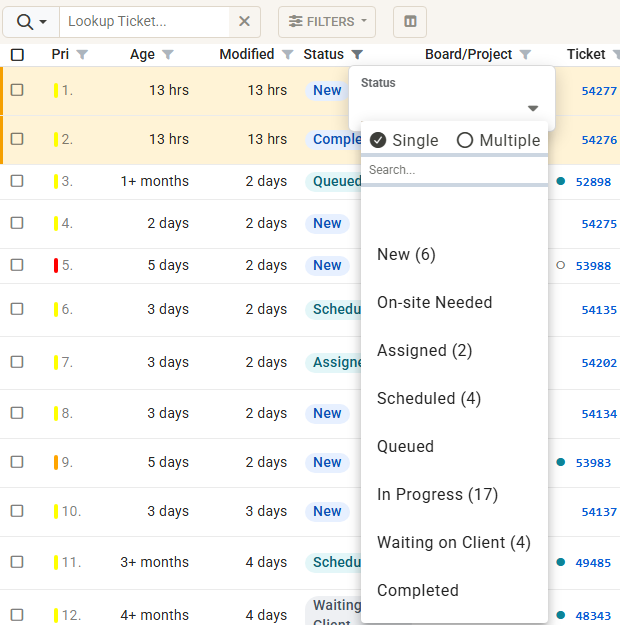
The ticket list on the Tickets and My Queue tabs has one row of headings instead of two, so you see more tickets.
- Filter icon. Click the funnel beside a column's heading to filter that column. You get the same choices as before, with counts. The funnel turns blue while that column is filtered.
- Chips. Every column filter in use shows as a chip next to Filters, for example Status: New or In Progress. Click × on a chip to remove that filter, or Clear column filters to remove them all.
- Hidden columns. A filter stays visible as a chip even after you hide its column, so no ticket goes missing without a reason.
- Ticket numbers. Type a ticket number into the Lookup Ticket... box to open it, or use the funnel on the Ticket heading as before.