See and Edit Your Custom Rules Behind a Nilear AI Result
The results of the Nilear AI tools on a ticket now link to the rules your company added for that tool. After Polish Summary, for example, the suggested summaries offer Summary Rules at the bottom left.
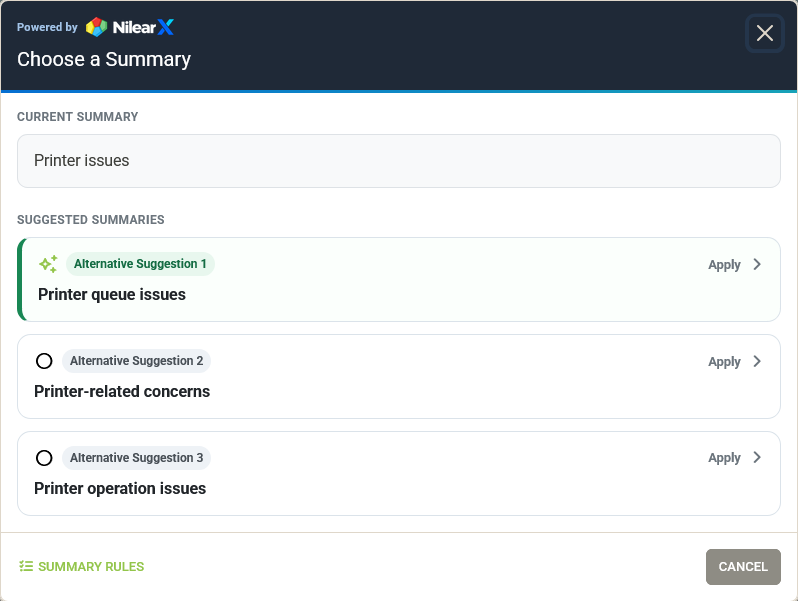
The link shows the rules for the ticket's board, and the global rules that apply on every board. Nilear AI follows them on top of its own built-in instructions.
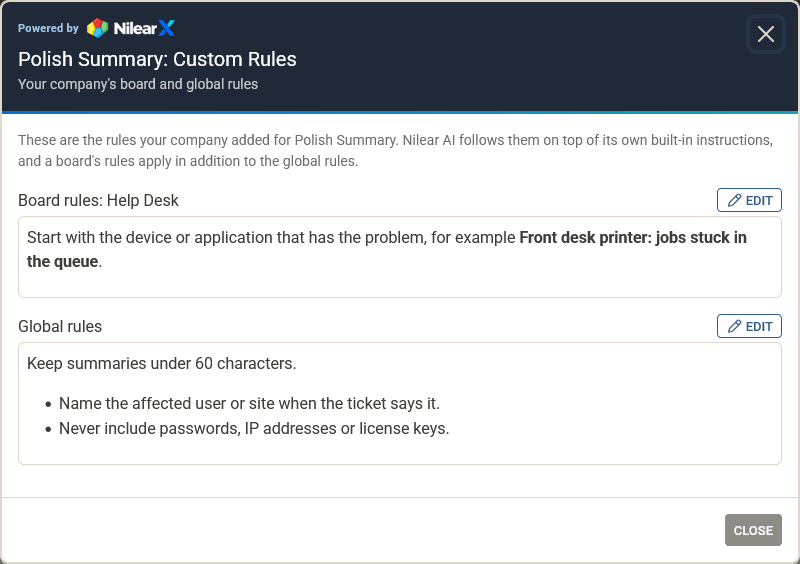
Suggest TSI, Create Ticket Goals, Split Ticket and Suggest Company / Contact link to their rules the same way. Polish Notes and Polish Email do too, and so does a New Company form filled in from the company's website (Company Profile Rules, at the top). These three tools have only global rules, as they do not run per board.
Everyone can read the rules. Administrators also get an Edit button on each section; a saved change is used by the next Nilear AI run, and saving an empty box removes those rules.