FeatureMTX: Tickets
Ticket Properties as Cards or a Compact List
You can now choose how a ticket's properties are laid out. Use the Cards | List switch beside Ticket properties: Cards groups the fields into cards, and List shows the compact list from before the cards, each label beside its value.
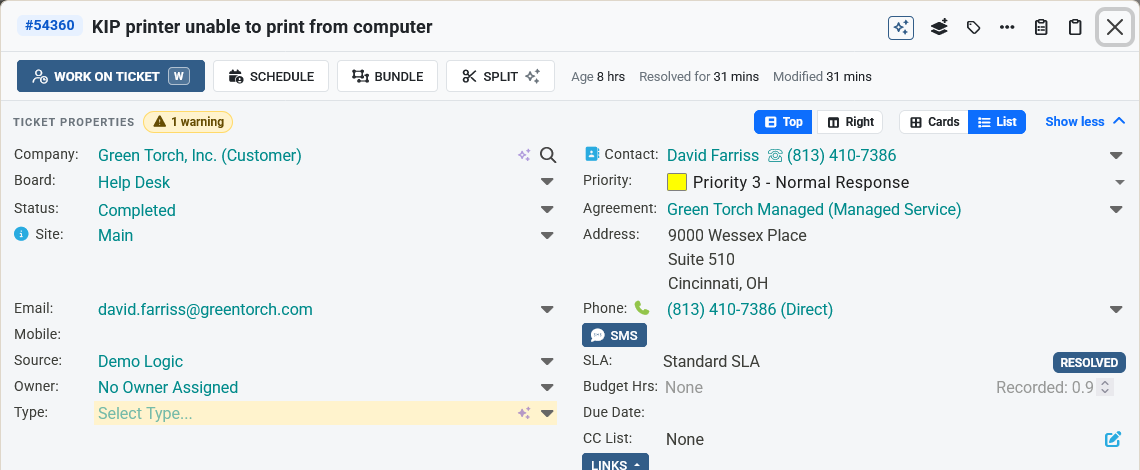
- The switch is in the ticket summary's properties, on the right-hand panel's header, and on the Ticket Properties tab when you work on a ticket.
- List fits more fields on the screen: two columns above the notes, one column in the side panel and in Work on Ticket. Status, priority and board are fields of the list, in place of the pills under the title.
- The number of warnings is still shown beside Ticket properties.
- MTX remembers your choice wherever you sign in. On a phone, the Details tab keeps the cards.