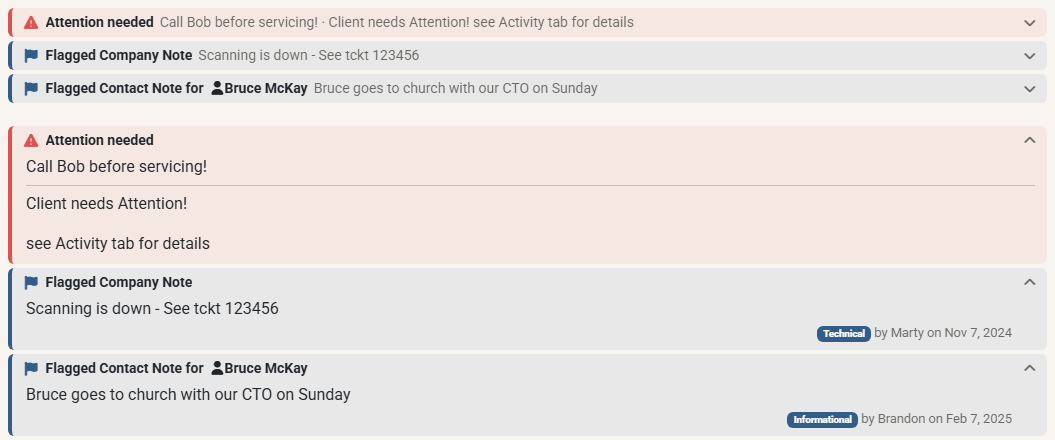
Slimmer Alerts Above a Ticket's Notes
In the modern notes layout, the alerts above a ticket's notes are now slim strips instead of large cards. These are the company status and custom notes (such as Attention needed), company and contact type alerts, and Flagged Company Notes and Flagged Contact Notes. Each strip keeps its color, so red, yellow and blue still stand out.
Click a strip, or press Enter on it, to collapse it. A collapsed strip is a single line that still shows the start of its text, so you can see what it says at a glance. Expand it to read the full note, with its type, author and date. Point at a flagged note to edit it.
MTX remembers which strips you collapsed, as before, and opens a strip again when its note changes. Collapsing one company's status or custom note no longer reopens another company's note with a "modified since you last minimized it" warning. The Classic notes layout and the New Ticket wizard keep the cards.