FeatureConnectActive
Bill from a Contact Custom Field with Custom Field Groups
ConnectActive can now build dynamic groups from a ConnectWise Manage contact custom field. Tick the field on the company's new Custom Field Groups card, and each sync offers its groups alongside the Department and Office groups.
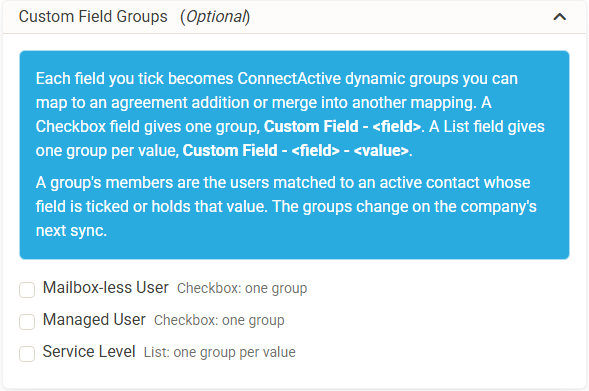
- A Checkbox field gives one group. "365 Support Only" becomes Custom Field - 365 Support Only.
- A List field gives one group per value. "Support Level" with the values Managed, Time and Materials and Not Supported becomes three groups, such as Custom Field - Support Level - Managed.
- Members are users matched to an active contact whose field is ticked or holds that value. An empty, blank or unticked field never makes a member.
- Use them like any other group. Map one straight to its own agreement addition, or merge one into an existing mapping. A Difference merge, for example, leaves out every contact with "365 Support Only" ticked.
The groups change on the company's next sync after a field is edited in ConnectWise Manage. If ConnectActive cannot read the custom field values, mappings that use these groups keep their agreement additions unchanged for that sync, and the sync log says why.
The card can be found under ConnectActive -> a company -> Integration.