UpdateMTX: Tickets
Easier-to-Read Properties in the Ticket Summary on Smaller Screens
On laptops and tablets, the properties at the top of the ticket summary are easier to read.
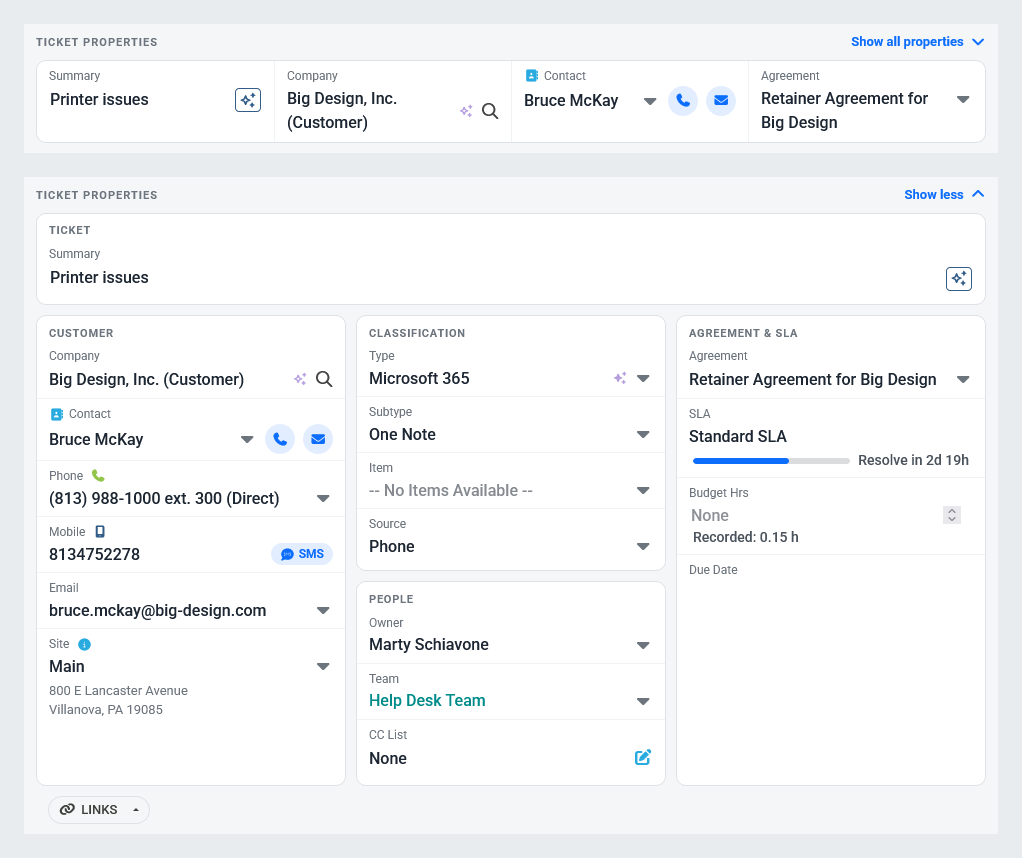
- Collapsed, they show the summary, company, contact and agreement side by side, each with its label above its value. Call or email the contact from the buttons beside their name.
- Choose Show all properties to see every field in the same grouped cards as the ticket summary's side panel. Choose Show less to collapse them again. The choice is kept while the browser tab is open.
- The number of warnings is shown beside Ticket properties, including warnings on fields hidden while collapsed.
- Long summaries and company names wrap instead of being cut off, here and in the side panel.