UpdateMTX: Tickets
Clearer Status, Board and Priority Lists
The lists for changing a ticket's status, board and priority have a new look, in the ticket summary and on the Tickets tab.
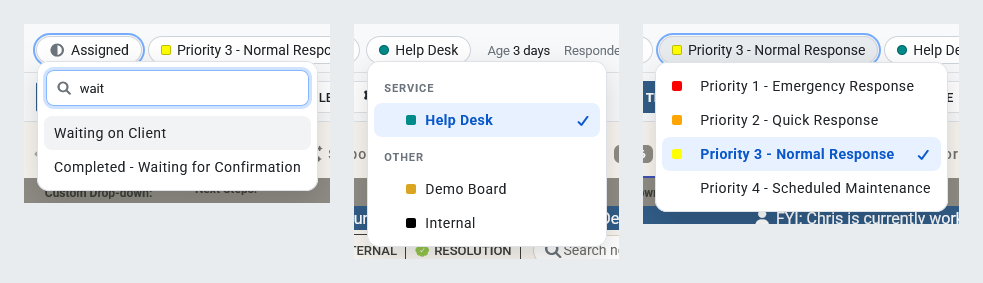
- Each list follows the light or dark theme and marks the current value with a check.
- Type in the status list's Type to filter box to find a status, then press Enter to choose it.
- Boards are grouped under their board types, with each board's colour. Priorities show their colour or image.
- A status that needs work first shows it beside its name, such as Missing TSI or 2 open tasks. Choosing it opens that work: the prompt for the TSI and required custom fields, then a list of the ticket's open tasks to mark Done, N/A or Failed. The status is changed only when the work is done. Close the prompt to leave the status as it was.