UpdateMTX: Tickets
The Ticket Summary on a Phone
On a phone, the ticket summary is laid out for the small screen instead of shrinking the desktop view.
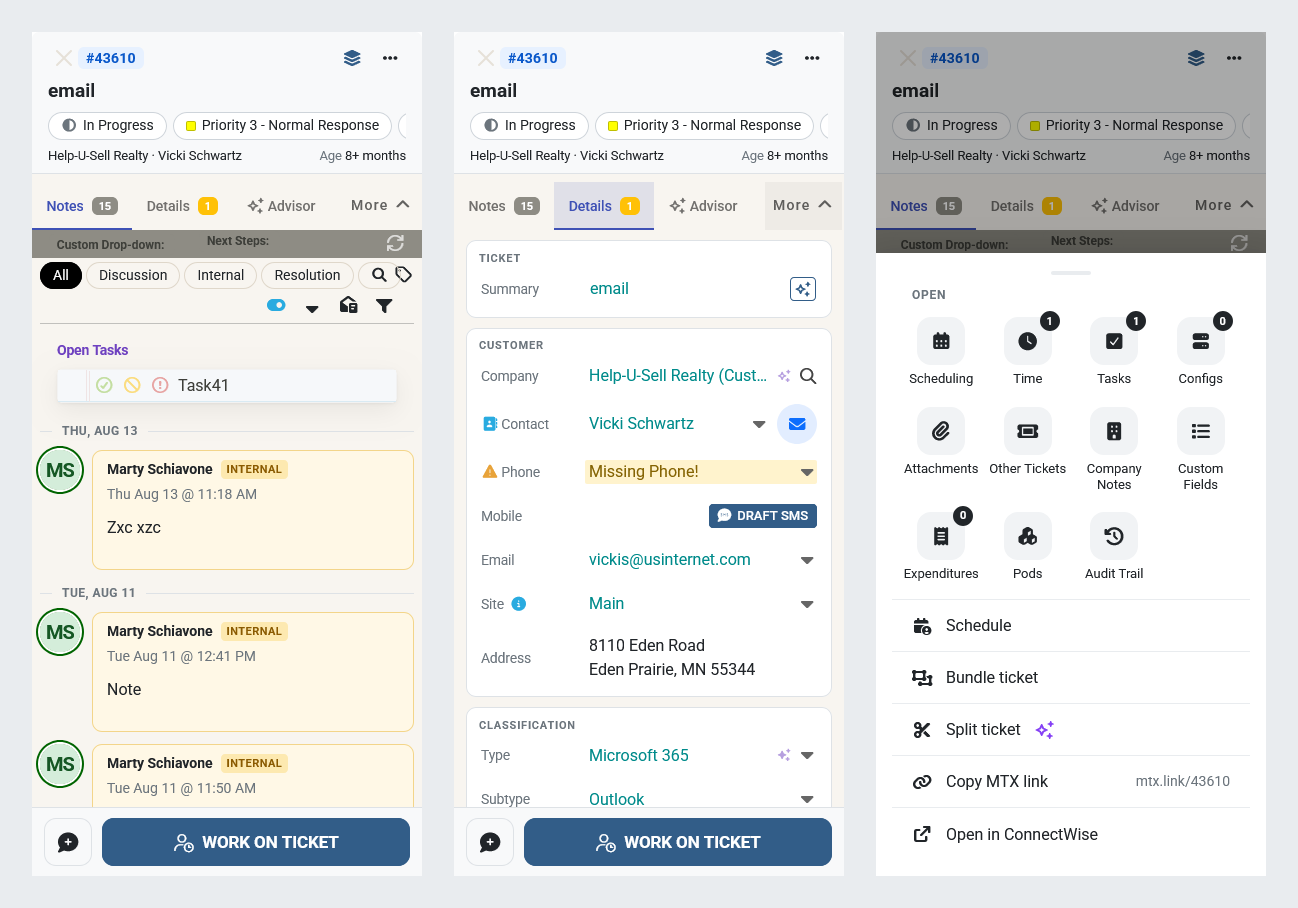
- Work on Ticket stays at the bottom of the screen on every tab. The button beside it adds an email, an internal email, a note, an internal note or a resolution note.
- The header fits in a few lines: the ticket number, the title, the status, priority and board in one row you can scroll sideways, and the company, contact and age.
- The tabs are Notes, Details, Advisor (when Support Advisor is offered) and More.
- Details shows the ticket's properties, with rows sized for your finger and the number of warnings on the tab. Tap the phone or envelope beside the contact to call or email them.
- More opens a sheet with the other tabs, such as Time, Tasks and Audit Trail, and the ticket actions: Schedule, Bundle ticket, Split ticket, Copy MTX link, Open in ConnectWise and Delete ticket. Swipe it down, tap outside it, or go back to close it.
- On Notes, tap the magnifier to search.
Screens 576 px wide and wider, including a phone turned sideways, show the ticket summary as before.